 Bikash Kampo
Introducing SealHive – Certificates That Can Prove Themselves
A certificate looks official until you have to check one. Then it is just a PDF with a seal on it.
I cannot scan it. I cannot look it up. If I call the institute, I am hoping someone picks up.
That is the problem we built SealHive for.
SealHive is a certificate platform from Vempus, the team behind Vemgram. You design a certificate in your brand, issue one or a thousand, and every certificate gets a QR code that opens a live verification page.
The page answers one question – is this real?
What it does
- Brand kit – set your logo, colors, fonts and signature once, and all 25 templates follow.
- Templates – certificates for internships, courses, training, participation and awards, plus offer and experience letters. There is a bilingual Hindi–English design too.
- Bulk issue – upload a CSV, match the columns, preview, and issue up to 2,000 certificates at once. Export the links, or email everyone their certificate.
- Verification – every certificate carries a QR code and a unique number, and both open its page.
- Bring your own PDF – upload a PDF you already made, place a QR code on it, and it becomes verifiable.
- Revoke, correct, expire – change the status at any time. Reissue a corrected certificate and the old one points to the new one.
- Teams – invite colleagues and see who issued, revoked or changed what.
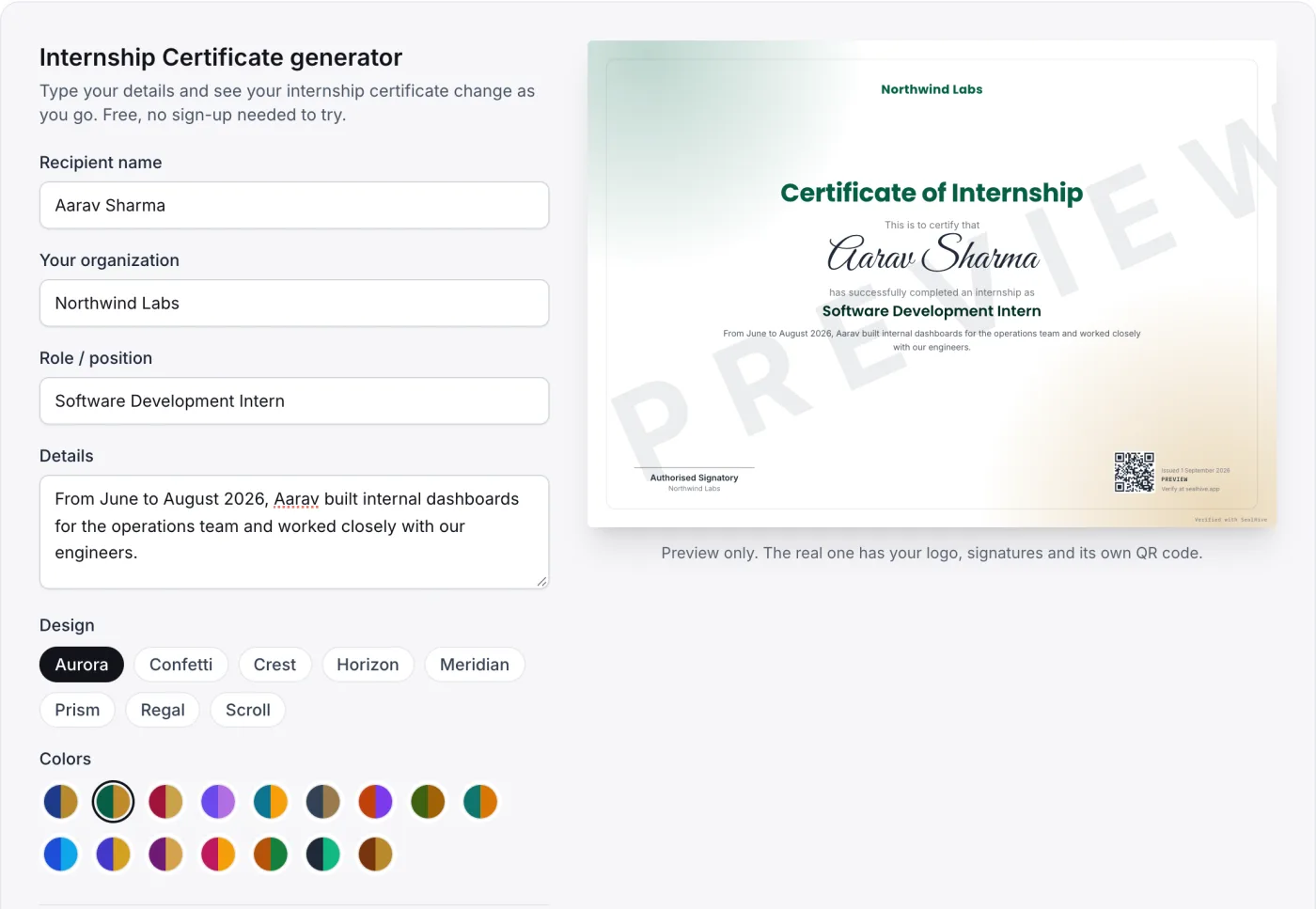
You can try the generator without an account, as you see in the screenshot below. I filled in a sample intern, picked a design and an emerald color, and the preview updated as I typed. The preview carries a watermark because nothing has been issued yet.
How verification works
- You issue the certificate – download the PDF, or let SealHive email it to the recipient.
- The QR code goes with it – printed on the certificate, next to a unique number.
- Anyone checks it – scan the code or type the number on the verify page.
- The page shows the truth – the name, dates, issuer, and whether the certificate is valid, expired, revoked, replaced or withdrawn.
No login. No call to the institute. One scan.
The check starts on a public page, as you see in the screenshot below. Type the certificate number or scan the QR code.
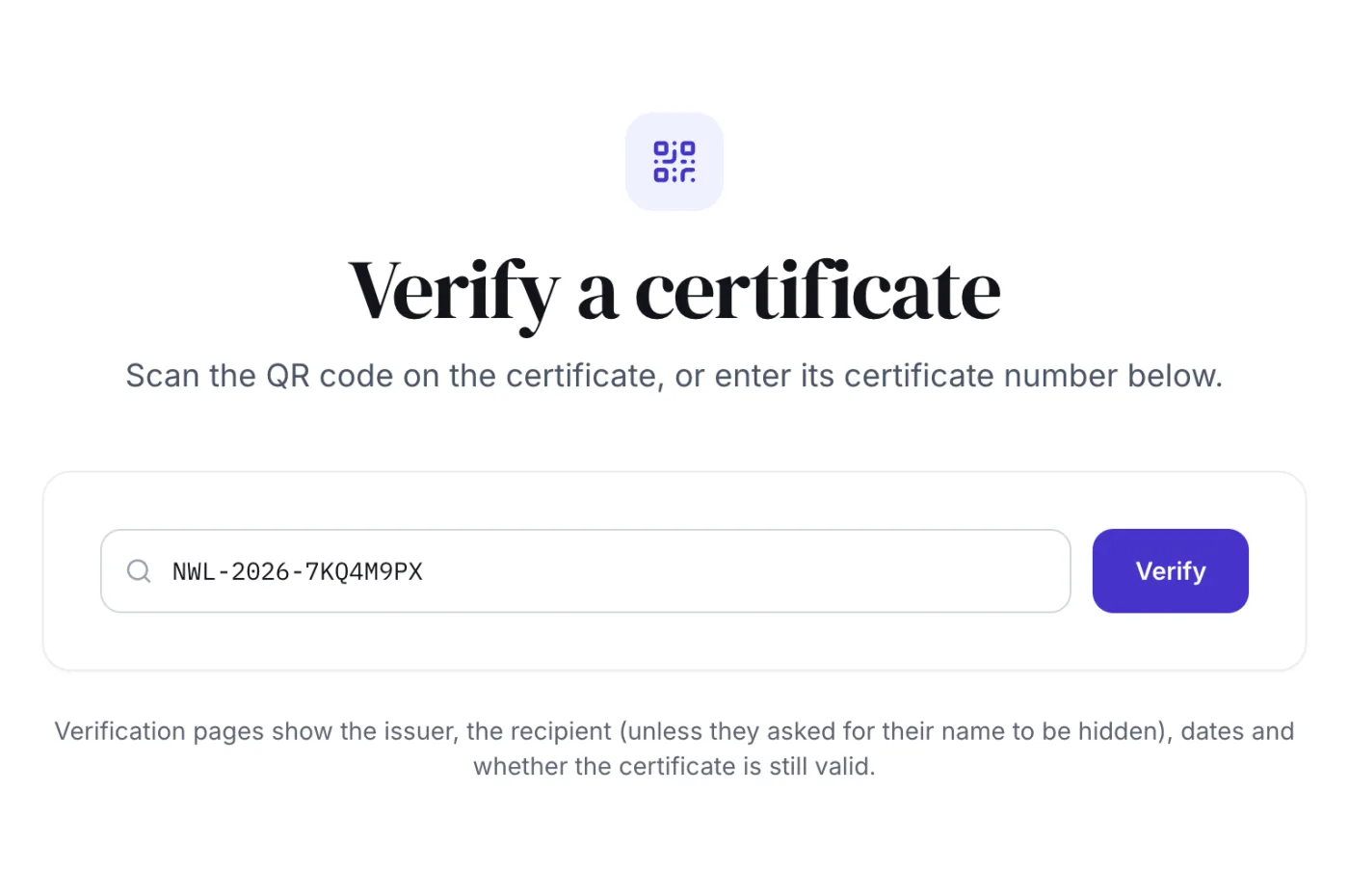
The status is the part I like. A printed certificate cannot change. A SealHive certificate always shows its current state, even if that state is revoked.
Who it is for
| Who | What they issue |
|---|---|
| Schools and colleges | Bonafide, merit, fest and internship certificates |
| Training institutes | Course, workshop and webinar certificates |
| HR teams | Offer, experience and relieving letters |
| Events | Participant, speaker and volunteer certificates |
| NGOs | Volunteer and appreciation certificates |
If you hand out certificates in batches, the CSV flow is the one you will use.
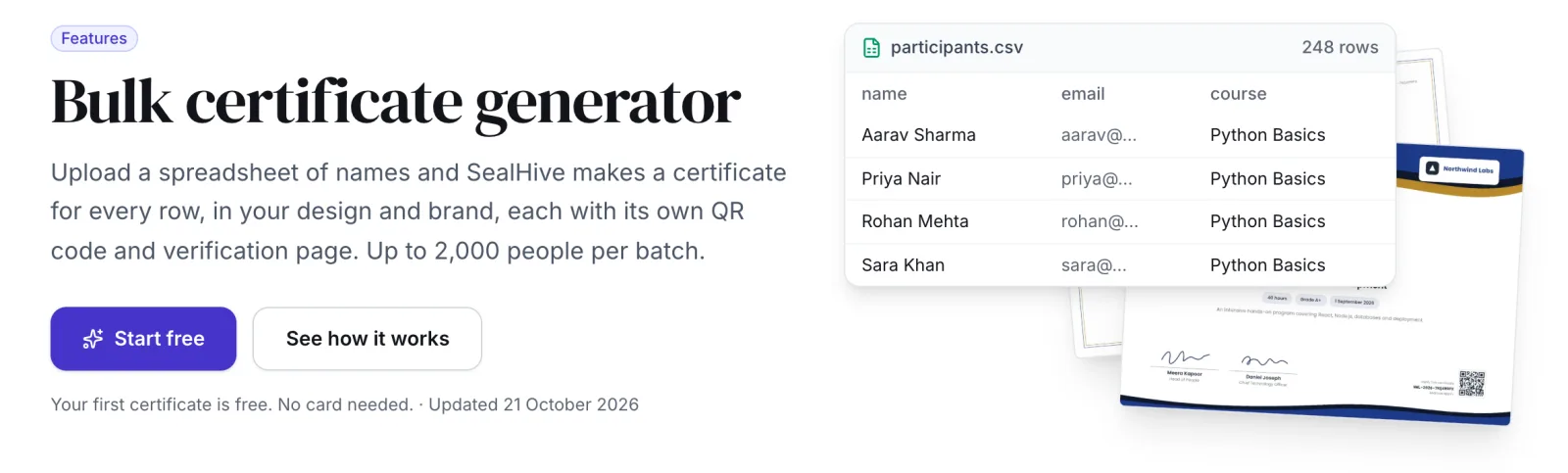
The bulk page shows the idea, as you see in the screenshot below. One CSV row per person, one certificate per row, up to 2,000 rows.
What I wanted to get right
A few decisions mattered more than the rest.
- The brand kit. Twenty-five designs sounds like a lot until you see them in your own colors. After that they stop feeling like templates.
- Corrections are easy. If a name is spelled wrong, the corrected certificate takes over and the old link points to it.
- Indian names work. Hindi and Marathi names render properly, which most certificate tools treat as an afterthought.
- Status is not a yes or no. Valid, expired, revoked and replaced are different answers, and the page says which one it is.
- Links stay live. You can revoke a certificate, but the page does not disappear.
What I am still thinking about
- Bulk stops at 2,000 rows. A large university will have to split its file. I am not sure yet whether that limit should move.
- A QR code only works if someone scans it. If an employer never checks, the certificate is still paper. That habit will take time.
So if you hand out certificates, go try it.
That’s it.